
- Free
- Nothing uploaded
- Both directions
- iPhone, Google and Android
How to use it
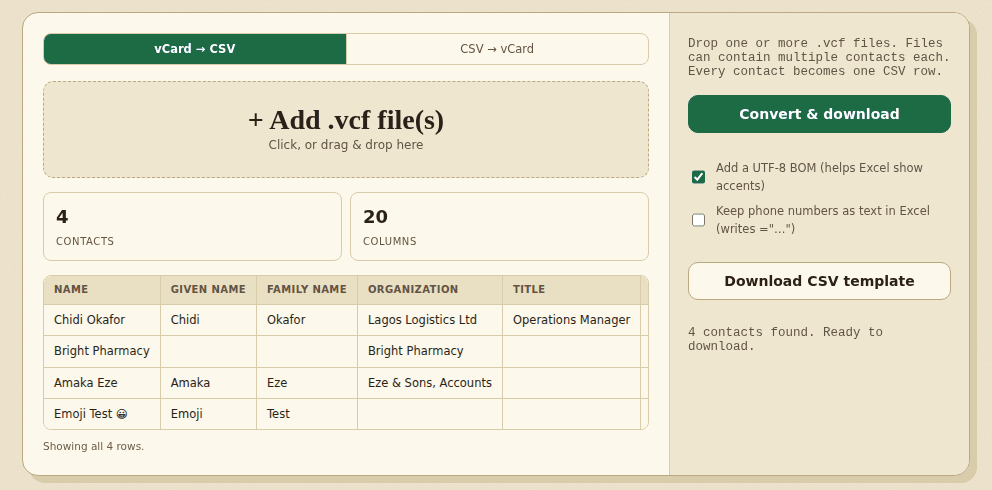
- Add your fileChoose vCard to CSV and add one or more .vcf files, or choose CSV to vCard and add a CSV.
- Check the previewEvery contact is one row. The first 50 are shown. For the CSV direction, the tool shows which of your columns it matched.
- DownloadSave contacts.csv, or the .vcf file. Two options help when the CSV goes to Excel.
When people use it
- You are changing phones and want your contacts in a spreadsheet to clean up first.
- You have a list of customers or members in Excel and need it as a contacts file for a phone.
- You want to merge contacts from several .vcf files into one sheet.
Good to know
Contact apps store different fields, so the tool keeps what fits the columns and puts the rest of the phones, emails and addresses into Notes. Photos are not copied. Names with accents are kept, and the CSV is saved as UTF-8. A phone number is never changed, but Excel can change how it shows a number when it opens the CSV, so read the questions below about phone numbers before you open the file there. Check a few contacts in the result before you import it anywhere.
Worked example: two contacts from a phone
We added this vCard file, made up for the example. The first contact has a second phone with a custom label and a comma in the note. The second has an accented name and no email:
BEGIN:VCARD
VERSION:3.0
N:Okafor;Chidi;;;
FN:Chidi Okafor
ORG:Lagos Logistics Ltd;
TEL;type=CELL;type=pref:+234 803 123 4567
item1.TEL:0802 000 1111
item1.X-ABLabel:Office Line
EMAIL;type=WORK:[email protected]
NOTE:Met at expo\, brought samples
END:VCARD
BEGIN:VCARD
VERSION:3.0
N:Öztürk;Şeyma;;;
FN:Şeyma Öztürk
TEL;CELL:+90 532 000 0000
END:VCARD
The tool found 2 contacts and wrote contacts.csv:
Name,Given Name,Family Name,Organization,Title,Phone 1 Type,Phone 1,Phone 2 Type,Phone 2,Phone 3 Type,Phone 3,Email 1 Type,Email 1,Email 2 Type,Email 2,Address Type,Address,Website,Birthday,Notes
Chidi Okafor,Chidi,Okafor,Lagos Logistics Ltd,,Cell,+234 803 123 4567,Office Line,0802 000 1111,,,Work,[email protected],,,,,,,"Met at expo, brought samples"
Şeyma Öztürk,Şeyma,Öztürk,,,Cell,+90 532 000 0000,,,,,,,,,,,,,- The type of the first phone is Cell. The pref marker is not a type, so it is ignored.
- The second phone kept its label. The line that starts with item1. is tied to the label Office Line, and that label became the type of Phone 2.
- The note with a comma is wrapped in quotes, so the comma does not split the cell.
- The accents in Şeyma Öztürk came across. The file starts with a UTF-8 marker so Excel shows them correctly, and that marker is not shown above.
- The second contact has blank cells where it has no email, address or note.
Frequently asked questions
Which vCard files does it read?
vCard 2.1, 3.0 and 4.0 files (.vcf), including exports from iPhone and iCloud, Google Contacts and Android. A file can hold many contacts, and you can add several files at once. Accented names stored in the older quoted-printable form are decoded, and files saved as UTF-8, UTF-16 or Windows-1252 are read correctly.
Is my data uploaded?
No. Your files are read in your browser and nothing is sent anywhere. Your contacts are not saved; only your option choices are remembered on this device.
Which columns does the CSV have?
Name, given name, family name, organization, title, up to three phone numbers and two emails (each with its type), the first address, a website, a birthday and notes. A fourth phone, a third email or a second address has no column of its own, so it is added to Notes as Extra phones, Extra emails or Extra addresses and nothing is lost.
What is left out?
Photos, and fields that have no column, such as nicknames, social profiles and custom fields. When a contact has more than one website, birthday or note, only the first of each is kept. Check the result before you delete the original contacts.
Why does Excel show my phone numbers wrongly?
When you open a CSV in Excel by double-clicking it, Excel turns a number such as 08031234567 into 8031234567 and can show +2348031234567 as 2.35E+12. The CSV itself is correct. Tick Keep phone numbers as text in Excel and the phone cells are written as ="...", which Excel shows as text. Other programs may show those extra characters, so leave it off if the CSV is going anywhere but Excel. This tool reads that form back as the plain number. Another way is Data > From Text/CSV in Excel, where you can set the phone column to Text before you load it.
Why do accents look wrong in Excel?
Excel needs a marker at the start of the file to know it is UTF-8. The option Add a UTF-8 BOM does that and is on by default. If the program you import into shows odd characters at the start of the first column name, turn the option off.
Can I turn a CSV into vCards?
Yes. Choose CSV to vCard and add the file. Column names are matched loosely, so the headers of this tool, Google Contacts and Outlook-style files work, and Download CSV template gives you a sample to fill in. Each row becomes one vCard 3.0 contact, a row with every cell empty is skipped, and the Name is built from the given and family name when it is blank.
Can I import the result into my phone or Google Contacts?
The vCards are version 3.0, which Apple, Google and Android contact apps read. Import a small test file first and look at the contacts before you import them all.
Can I convert a big file?
Yes. A file with 5,000 contacts opens in under a second in our tests. The preview shows the first 50 rows, and the download holds every contact.
Where to go next
- If the same person appears twice, remove duplicate rows from the CSV.
- To combine contact lists from several people, merge the CSV files.
- To share a list without names and numbers, anonymize the CSV.